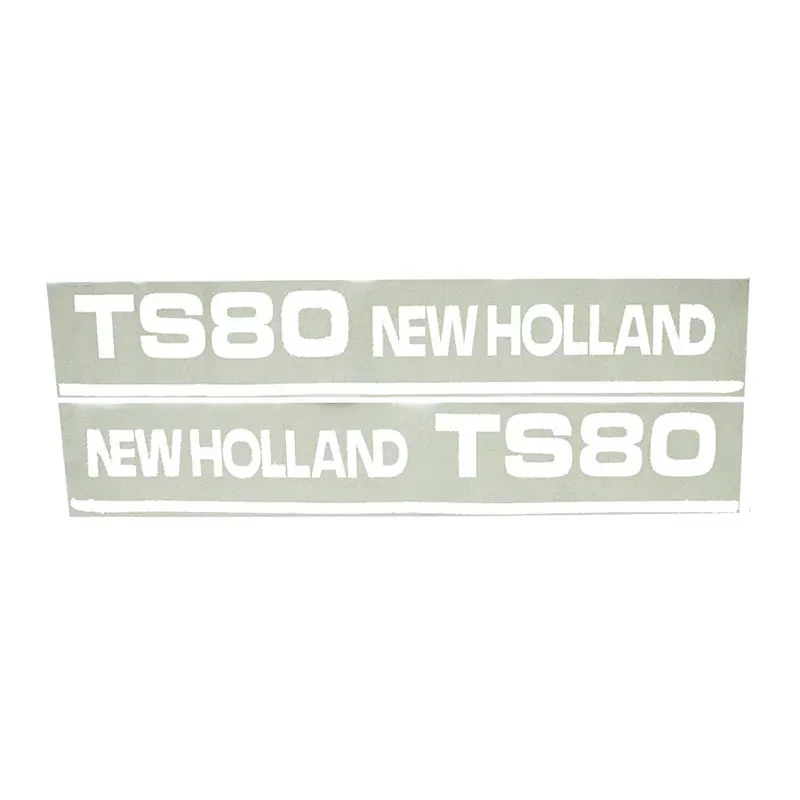
When neighbors see your TS80 rolling down the road or working the field, you want those decals looking sharp—not faded, cracked, or missing altogether. A tractor with crisp graphics shows you take care of your equipment, and that matters whether you’re at the sale barn, working for a neighbor, or representing your operation at the grain elevator. This complete decal set brings back that factory-fresh appearance that makes your 80-horsepower workhorse look as good as it runs.
What You’re Getting
- Complete set that matches the original factory TS80 design exactly—no guesswork
- High-quality vinyl that stands up to UV rays, weather, and chemical exposure from spraying
- Precision-cut graphics that fit perfectly without trimming or adjusting
- Strong adhesive backing that stays put through years of vibration and temperature swings
- Makes parts ordering easier when everyone can see exactly what model you’re running
Built for Real Farm Work
The TS80 has earned its reputation as a reliable mid-range workhorse, whether it’s running a disc mower, pulling equipment, or on loader duty. These 80-horsepower tractors are the sweet spot for many operations—powerful enough for serious work yet economical enough for daily chores. Whether you’re doing custom work, running a livestock operation, or handling mixed farming duties, your tractor represents your business everywhere it goes.
Made to Last
Farm decals take more punishment than you’d think—constant exposure to dust, chemicals, weather extremes, and the occasional brush with a tree branch or barn door frame. These replacement decals use the same quality materials as the originals, so they’ll maintain your tractor’s professional appearance and resale value for years to come.
Installation Notes
Start by completely removing old decals using a heat gun to soften the adhesive, then clean all surfaces thoroughly with isopropyl alcohol to remove any residue. Apply when temperatures are between 65-80 degrees in a dust-free area, and take your time with alignment—the human eye instantly spots crooked graphics. A quick tip: photograph the original positions before removal so you know exactly where everything goes.